
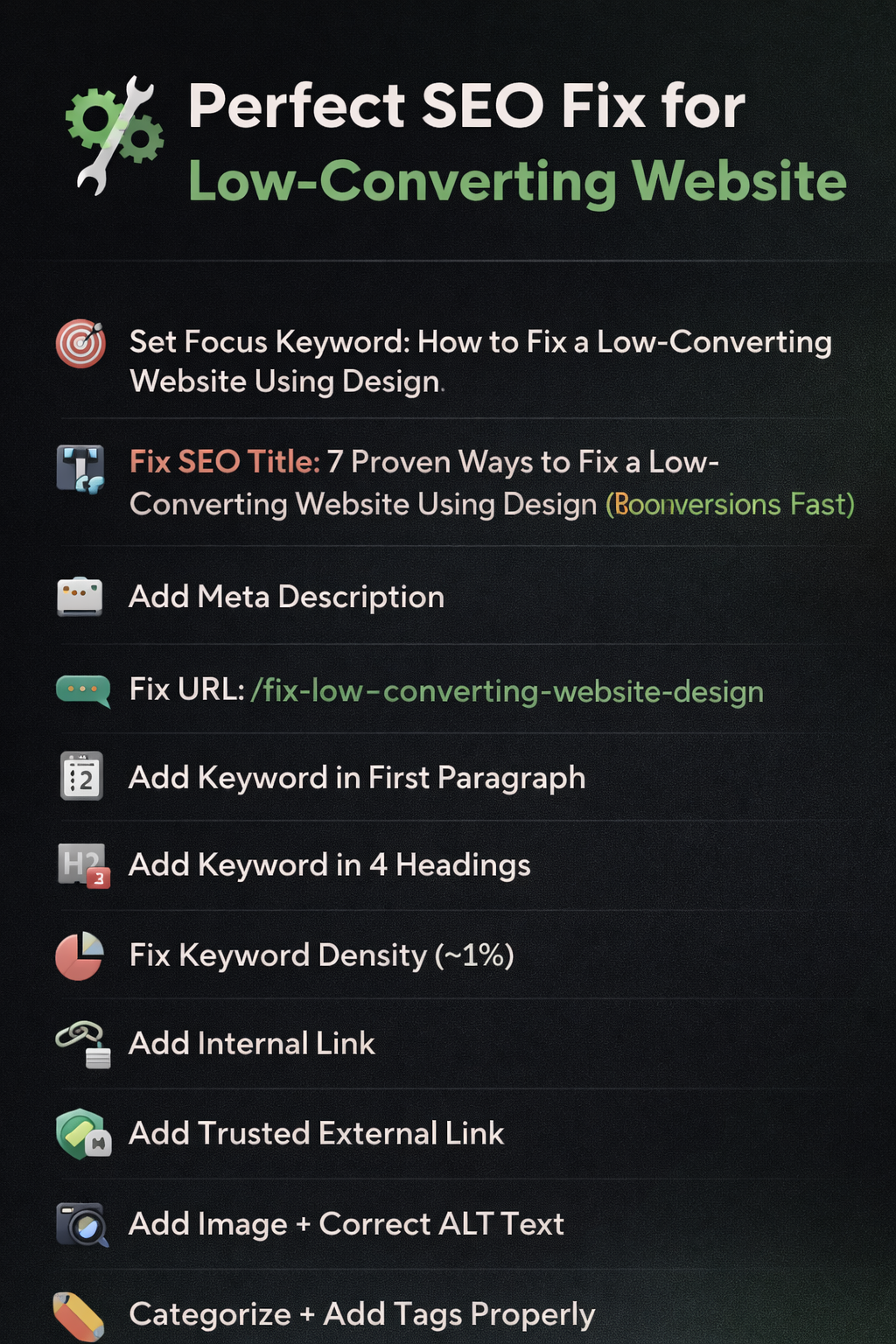
How to Fix a Low-Converting Website Using Design
 I
I
Understanding how to fix a low-converting website using design can significantly improve user experience and conversions.f people visit your website and leave without doing anything… something is broken. And no, it’s not always your pricing, your offer, or “bad luck.”
Most of the time, it’s your design quietly pushing people away.
You don’t see it happening. No one messages you saying, “Hey, your layout confused me, so I left.” They just disappear.
That’s why understanding how to fix a Low-Converting Website Using Design matters. Because the problem isn’t always obvious—but the impact is.
Conversion-Focused Web Design Strategies
Here’s a pattern you’ve probably seen.
You’re getting clicks. Maybe even decent traffic. But conversions? Almost zero.
So naturally, you start doubting everything else.
“Is my service not good enough?”
“Should I lower my price?”
“Do I need more features?”
Pause. This is why learning how to fix a low-converting website using design is critical
Before changing your entire business, ask this instead:
Why is the website not converting even when people are showing up?
Because most of the time, they’re not rejecting your offer.
If you want better results, learning how to fix a low-converting website using design is essential.
They’re reacting to your experience.
People Don’t Read First. They Feel First
How to Fix a Low-Converting Website Using Design Effectively.
You know that moment when you open a website and instantly feel like, “Nah… not this one”?
You don’t know exactly why. You just close it.
That’s design doing its job—just in the wrong direction.
The role of design here isn’t decoration, it’s perception. It decides whether someone stays long enough even to consider what you’re offering. Check our graphic design services to improve your website visuals
Many low-converting website solutions fail because they ignore design
If your website feels cluttered, outdated, or confusing, people won’t investigate further. They’ll assume the service behind it is the same.
Unfair? Yes.
Real? Also yes.
Fixing Conversions Starts with Removing Confusion
Let’s simplify things.
Most low-converting website solutions don’t start with adding more. They start with removing what’s getting in the way.
Too many sections. Too much text. Too many choices.
It’s like walking into a store where everything is shouting for attention. After a few seconds, your brain just gives up.
Online, people don’t give second chances. They leave.
Conversion-focused web design improves user trust. Businesses that learn how to fix a low-converting website using design often see faster growth and better engagement.
So the first shift is simple:
Make your website easier to understand. Most low-converting website solutions fail because they ignore user experience and structure.
Say What You Do. Clearly. Immediately.
This sounds basic, but it’s where most websites fail.
Someone lands on your homepage and has to figure out what you do. Not good.
Your message should hit instantly. No decoding required.
Not: “We create innovative digital experiences.”
But: “We design and edit content that helps your brand grow.”
Clarity is not boring. It’s powerful. According to UX research by Nielsen Norman Group
And this alone can improve website conversion rate design more than any fancy animation ever will.
Guide the Eye, Don’t Leave It Lost
Ever noticed how your eyes naturally follow certain patterns on a page?
That’s not random. That’s structure.
A good layout tells the user where to look first, what to read next, and where to click.
A bad layout? It’s chaos.
Everything looks important. So nothing stands out.
This is where website design for higher conversions becomes practical. You’re not designing for beauty you’re designing for direction.
Show them what matters. In the right order.
Too Much Content = No Action
There’s a strange habit many websites have.
They try to say everything at once.
Long paragraphs. Multiple offers. Endless scrolling.
It feels like someone is talking nonstop without pausing.
Users don’t process all that. They skim. And when it feels overwhelming, they exit.
So instead of adding more, start cutting.
Keep what matters. Remove what doesn’t.
Less noise → more clarity → better decisions.
Your Call-to-Action Should Not Be a Treasure Hunt
Let’s be honest.
If someone wants to contact you, it should not feel like a puzzle.
And yet, so many websites hide their main button like it’s a secret.
Your call-to-action is the point of your entire website. Don’t make it subtle.
Make it visible. Make it obvious. Make it easy.
Because if people don’t know what to do next, they won’t do anything.
That’s one of the fastest ways to fix website conversion issues.
Trust Is Built Visually Before It’s Earned
You can write “We are professional” all day.
But people won’t believe it unless your design shows it.
Clean layout. Consistent style. Real examples. Balanced spacing.
These things don’t scream for attention, but they quietly build confidence.
And confidence is what turns visitors into clients.
If your design feels inconsistent or rushed, people assume your work will be too.
Mobile Experience Can Make or Break You
Let’s face it—most people are not opening your website on a big screen. They’re on their phones.
If your site looks cramped, buttons are hard to tap, or text feels tiny… they’re gone.
No second thought.
This is why conversion-focused web design is not just about desktop anymore. Mobile is the real battlefield.
If it doesn’t feel smooth on a phone, it doesn’t work.
Speed: The Silent Killer
You click a link. It loads… and loads… and loads.
What do you do?
Exactly.
You leave.
No matter how good your design is, if it takes too long to appear, it doesn’t matter.
Speed is part of the experience. And experience decides everything.
Make It Feel Human, Not Robotic
Some websites sound like they were written by a machine trying too hard.
Big words. Complicated sentences. No personality.
People don’t connect with that.
They connect with clarity. With tone. With something that feels real.
You don’t need to sound fancy. You need to sound understandable.
Because when your website feels human, people feel more comfortable trusting it.
Small Details Create Big Impact
Consistency is one of those things people don’t notice… until it’s missing.
Different fonts on different pages. Random color changes. Uneven spacing.
Individually, these seem small. Together, they create doubt.
And doubt reduces action.
A consistent design feels stable. And stability builds trust.
This Is Not a One-Time Fix
Here’s the part most people ignore.
You don’t “fix” your website once and forget about it.
You observe. You adjust. You improve.
What works today might need refinement tomorrow.
The goal is not perfection. The goal is progress.
Conclusion
If your website isn’t converting, don’t panic. Don’t rush to change your entire business.
Start with your design.
Because most of the time, the issue isn’t your offer it’s how that offer is being experienced.
Understanding how to fix a Low-Converting Website Using Design is about simplifying the journey.
Make things clear. Make actions obvious. Make the experience smooth.
When people don’t have to think too much…
They start to act.
FAQs
Why is the website not converting even with good traffic?
Because traffic only brings people in. If your design creates confusion or lacks trust, they leave without taking action.
What are the best low-converting website solutions?
Simplifying layout, improving clarity, making CTAs visible, and building trust through clean design are the most effective starting points.
How can I improve the website conversion rate design?
Focus on clear messaging, strong visual hierarchy, faster loading speed, and mobile-friendly layout.
What is conversion-focused web design?
It’s a design approach that guides users toward action. Every element exists to reduce friction and make decisions easier.
Do I need a full redesign to fix website conversion issues?
Not always. Sometimes small changes—like better structure, clearer text, and improved navigation—can create a big difference.
How long does it take to see improvement?
Some changes show results quickly, especially clarity and CTA fixes. Others take time as you test and refine the experience.